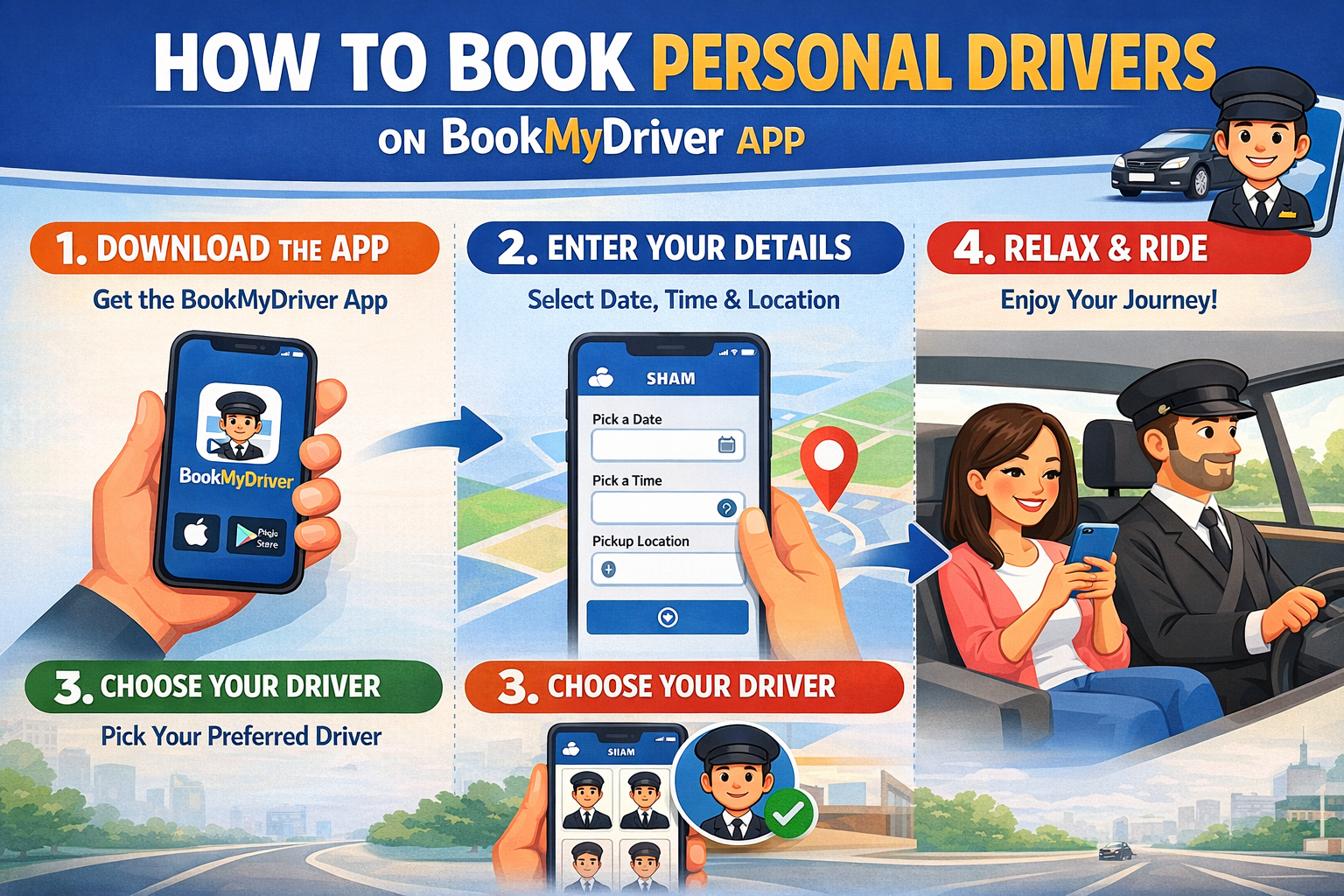
Just one click on your phone and you could instantly schedule a trip with a personal driver for your car. Yes, using the BookMyDriver App is as simple as that.
If you have a car and all you need is a trained driver to accompany you in your journeys, let us help you. All you need is a smart phone, with the best driver booking app installed on it- BookMyDriver.
Step-by-Step Process to Book Your Personal Driver
It is very normal to feel a bit confused when using any app for the first time. So here we are with a complete booking guide to give you a clear understanding of the app, along with a walkthrough of its interface..
Step 1: Install the BookMyDriver App
On your smartphone, install the BookMyDriver App. You can easily download it from the PlayStore or AppStore.
Download from Playstore:
Download from Appstore:
The app is easy to install, with no complicated processes. Also it consumes very little space on your phone.
Step 2: Create Your Account
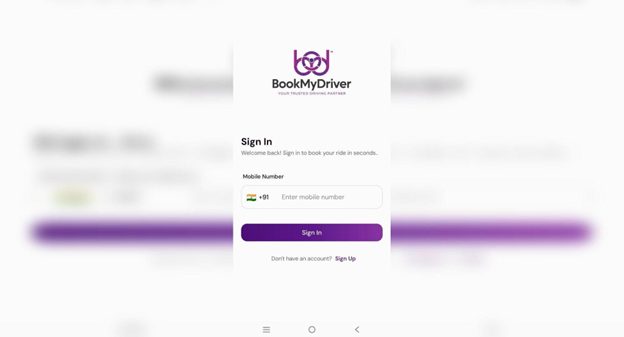
The first dashboard that pops up when you open the app is the ‘Log In’ interface.
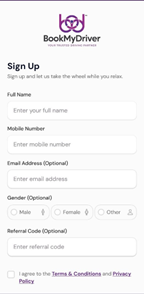
If you are a new user, click on the ‘Sign Up’ button. Fill in your details including your Name,
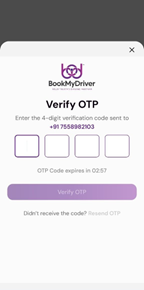
Email Id, Phone Number etc and sign up. You ‘ll now receive an OTP on the mobile number that you just submitted. Enter the OTP and click ‘Verify’ to complete the registration process.
Now , log in to your account with the credentials and get started right away.
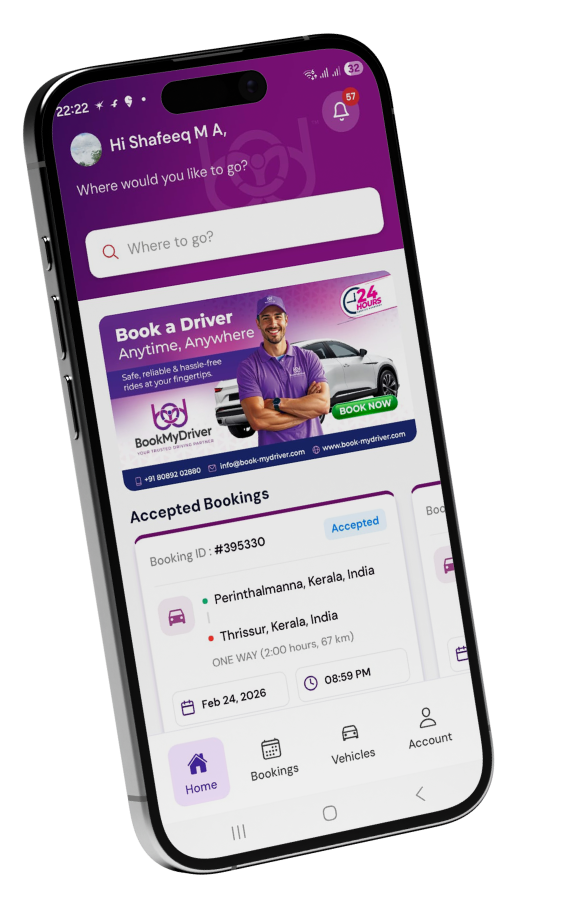
Step 3: Understand the Dashboard
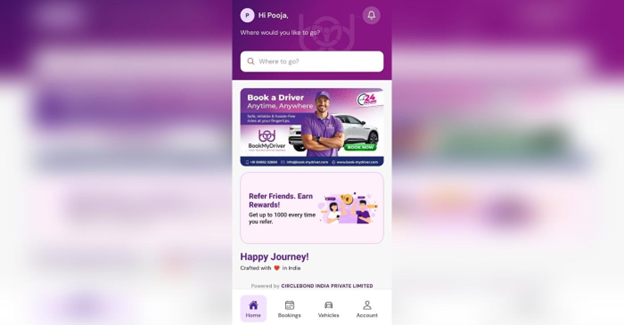
Now that you are already on the BookMyDriver driver booking app dashboard, take a quick look into the options available. The dashboard is designed to be hundred percent user-friendly and super simple to navigate.
Step 4: Navigate to the ‘Bookings’ tab
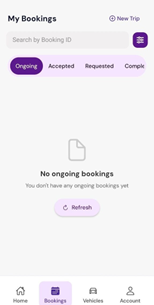
Simply click on the ‘Bookings; tab towards the bottom of the screen. You can find details of all your previous bookings here. On the top right corner, you can find the option to make a ‘New Trip’.
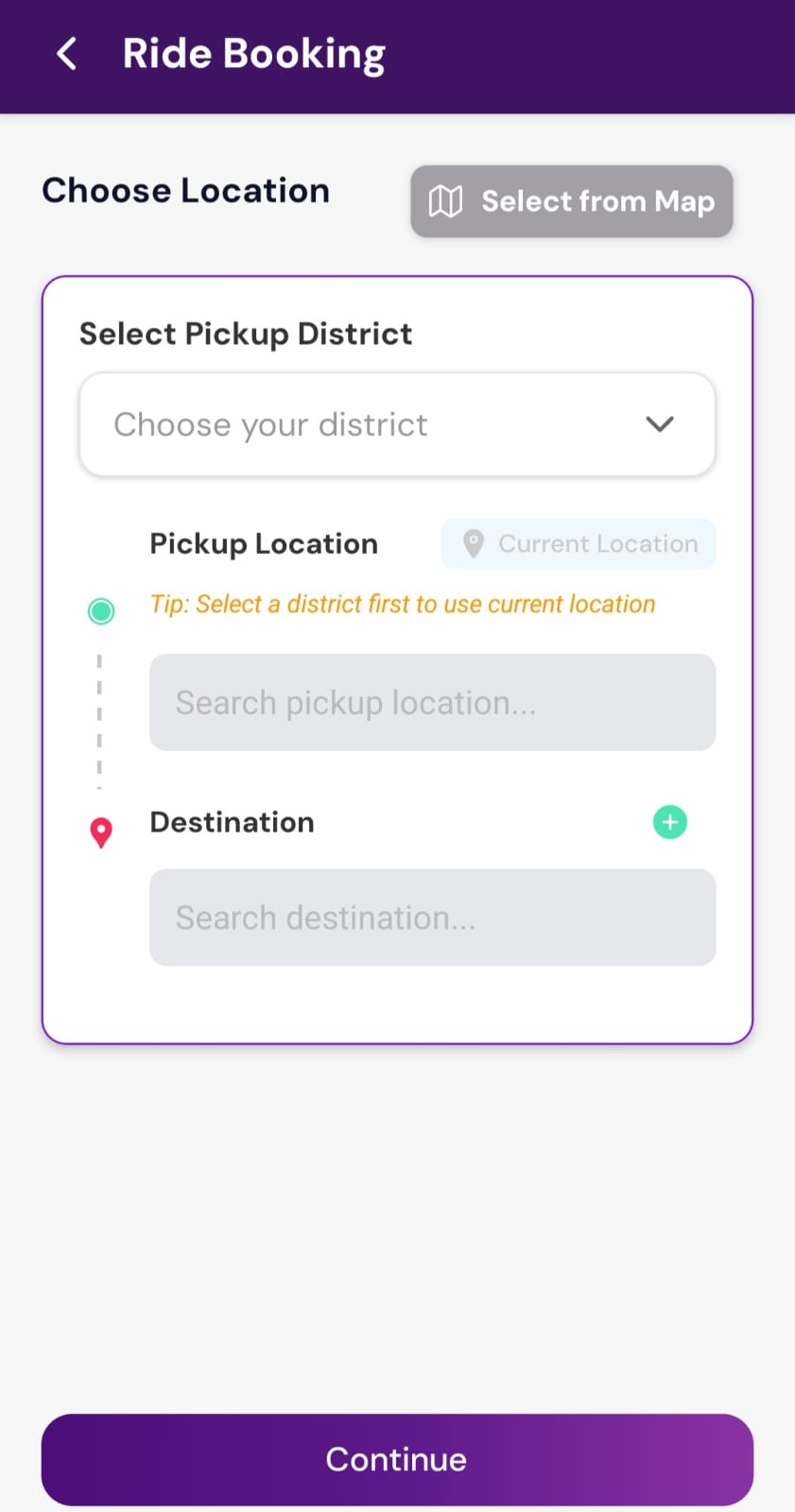
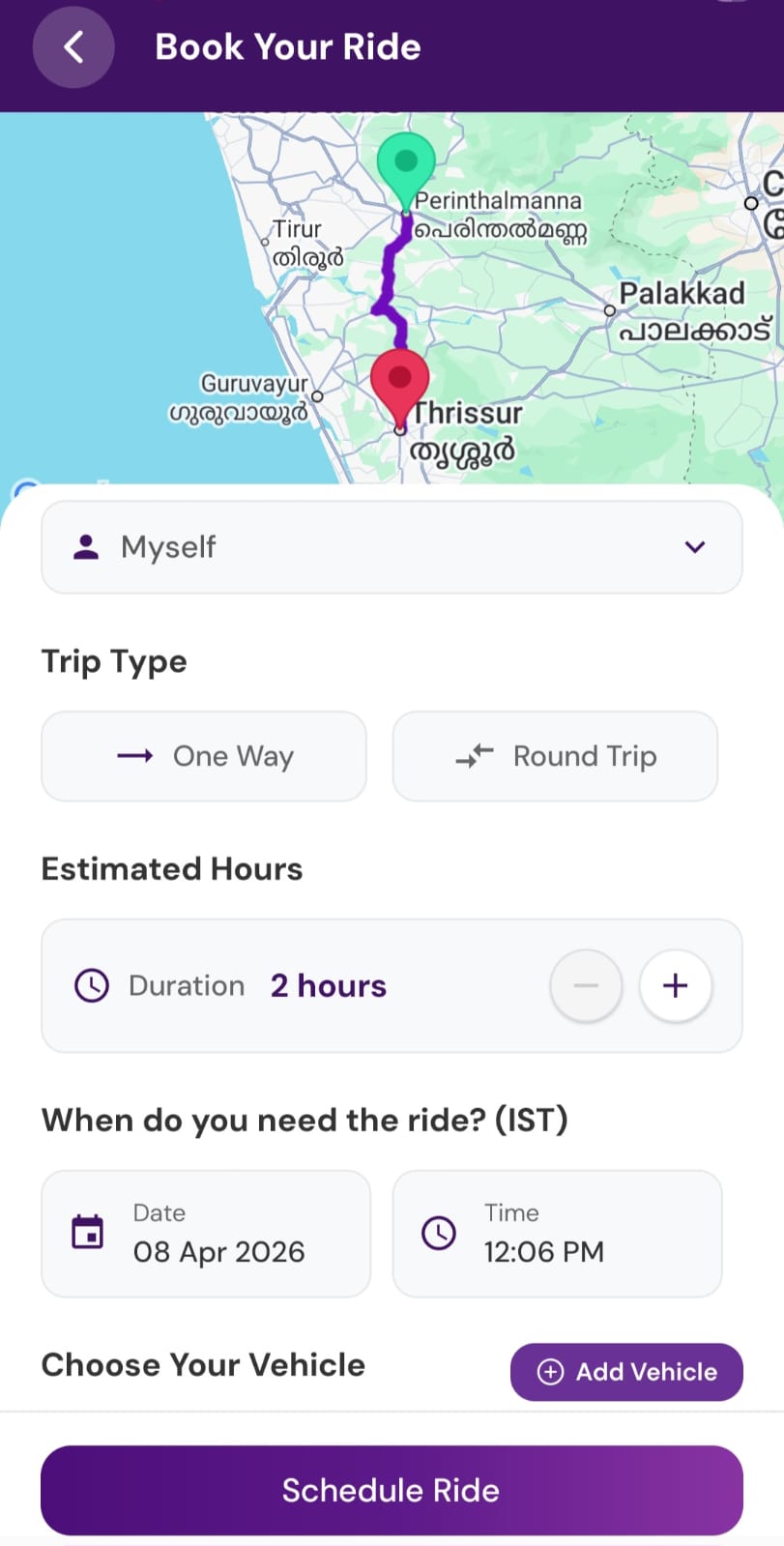
Now enter your district, pickup location and destination details. Click on ‘Continue’. In the next window, you can enter all the ride details including the preferred date and time for the ride.
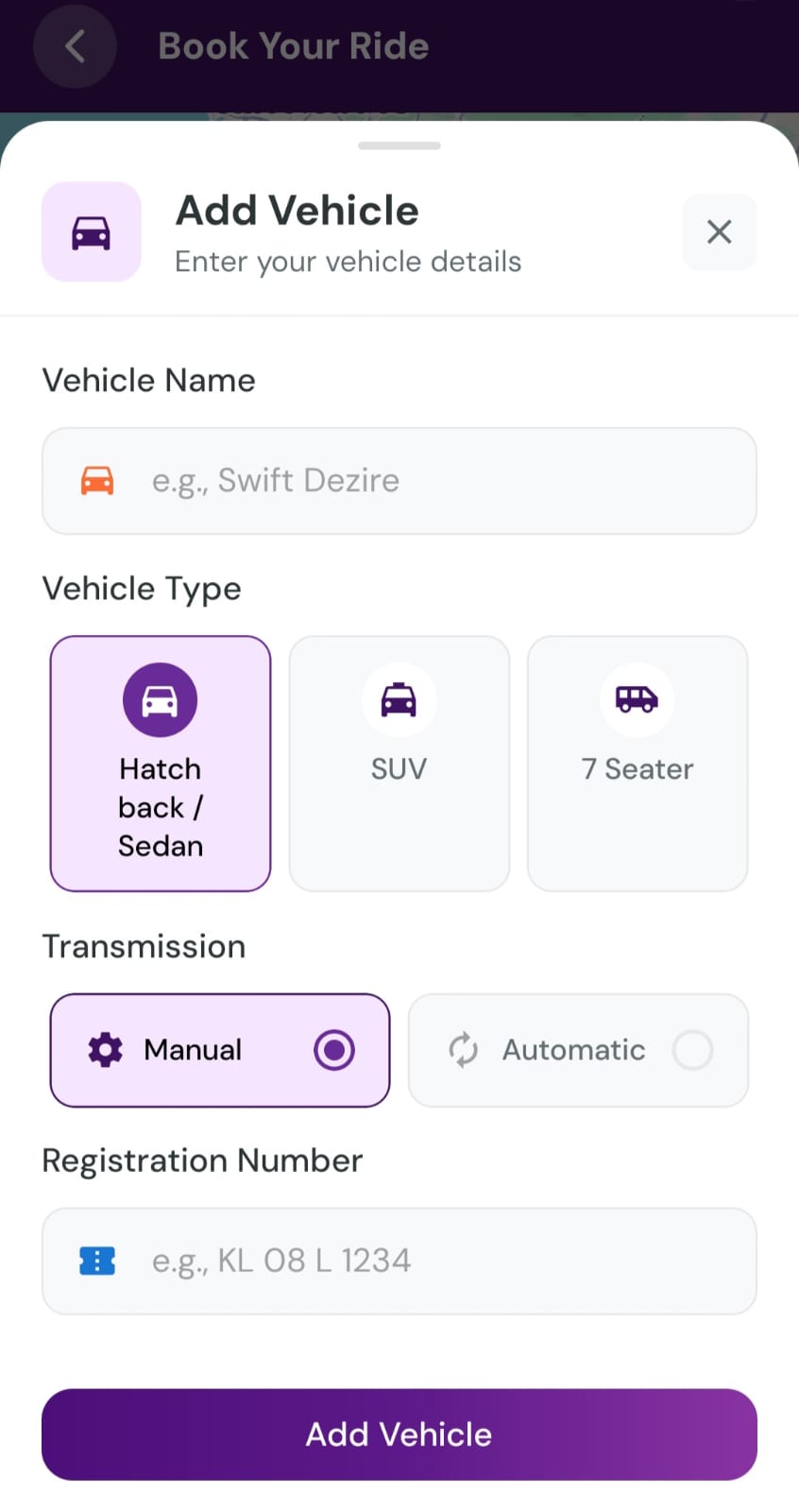
Step 5: Register Your Vehicle
The next most important step in the driver booking process is registering your vehicle. Enter your vehicle details including the type of your car and vehicle number. Click on ‘Schedule’ and confirm your ride with BookMyDriver driver booking app. Your process of getting a driver with the BookMyDriver app is now completed.
Booking a personal driver has never been easier. With just a few clicks and taps, you are now all set to start your next in your own car with trained professional drivers from the best driver on demand platform in your locality.
Try the app today and experience the convenience of hassle- free driver booking for all your travel needs, whether short commutes or long distance journeys.